What does 👂🏼 Ear: Medium-Light Skin Tone mean?
👂🏼 is the Ear emoji (👂) with a medium-light skin tone (🏼, Fitzpatrick type 3) modifier. It means the same as the default yellow version; the skin tone simply lets people represent themselves or the person they are talking about.
Listening is the core idea behind this human ear. It means hearing, “I’m all ears” or “tell me more”. People send it to show they are paying attention, to recommend a song, or to say they overheard something juicy. It also turns up in health chats about earaches or hearing tests. Paired with 🤫, it hints at a secret being whispered.
👂🏼 Ear: Medium-Light Skin Tone is an emoji from the People & Body category (body parts), added in Emoji 1.0 in 2015. People use it in messages about body, ears, hear, hearing, listen and listening.
Example messages
👂🏼 Ear: Medium-Light Skin Tone on Apple, Google, Microsoft & more
The code is the same everywhere, but every company draws its own artwork. This is how Ear: Medium-Light Skin Tone looks on each platform.


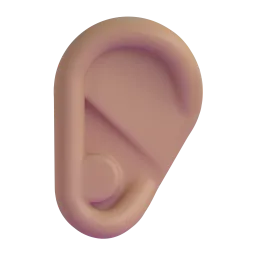

Ear in every skin tone
More body parts emojis
See all 18 →Ear: Medium-Light Skin Tone emoji: questions & answers
How do I copy and paste the Ear: Medium-Light Skin Tone emoji?
Press the Copy button at the top of this page and 👂🏼 is copied to your clipboard. Then paste it anywhere with Ctrl+V, Cmd+V or a long press on your phone.
When was the Ear: Medium-Light Skin Tone emoji added?
👂🏼 Ear: Medium-Light Skin Tone was added in Emoji 1.0, released in 2015. It is supported on all current versions of iOS, Android, Windows and macOS.
Does the Ear emoji come in different skin tones?
Yes. Besides the default yellow 👂, there are 5 skin tone versions: 👂🏻 👂🏼 👂🏽 👂🏾 👂🏿. Pick one in the skin tone section above.
Why does 👂🏼 look different on my phone?
Every platform draws its own artwork for Ear: Medium-Light Skin Tone. The underlying code (U+1F442 U+1F3FC) is the same everywhere, so the person you send it to always gets the same emoji, just in their device’s style. Compare the designs in the platform section above.